
What a ZK Cred Wallet Does
A ZK Cred Wallet enables private credit verification by allowing users to prove eligibility without exposing raw financial data. The process follows a clear sequence: define the constraint, compare options, test the tradeoff, and choose the path with the fewest hidden costs.
After each step, verify that the recommendation fits your actual situation. If a solution requires perfect timing or unusual access, look for a simpler fallback.
Connect Your Wallet and Import Credentials
Connect your ZK Cred Wallet as a sequence, not a scramble through settings. Do the minimum first: confirm compatibility, connect the core hardware, update only when needed, and test the result before adding optional features. This order keeps the task understandable and makes failures easier to isolate.
Generate a Zero-Knowledge Proof
The core action is generating a proof that verifies your creditworthiness without exposing your raw data. Instead of uploading a full credit report, you select specific attributes to disclose—such as "credit score > 700"—and generate a cryptographic proof that confirms these attributes meet the lender's criteria.
This process relies on zero-knowledge protocols, such as those described in the zk-creds framework, which allow users to prove statements about their credentials without revealing the underlying information. The wallet handles the complex cryptography, ensuring that only the necessary proof is transmitted to the verifier.
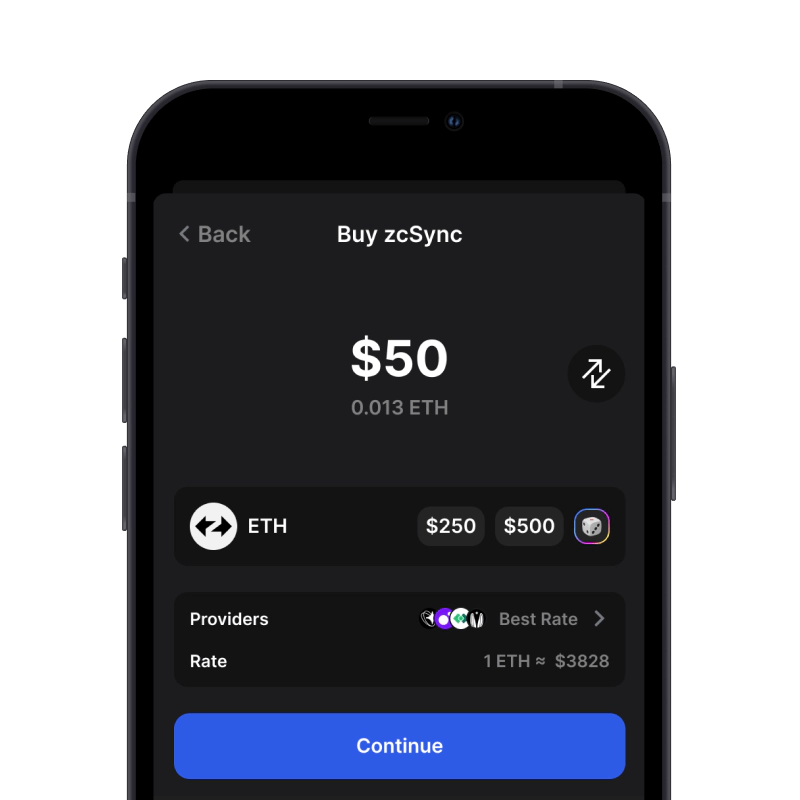
Open your ZK Cred Wallet and navigate to the credential management section. Review the list of stored credentials, such as credit scores, income verification, or employment history. Select only the attributes required by the specific lender or service provider. For example, if a lender requires a minimum credit score of 700, select the "Credit Score" attribute and set the threshold to "Greater than 700." This selective disclosure ensures you share only what is necessary, preserving your privacy.
Before generating the proof, configure the parameters to match the lender's verification requirements. Specify the exact conditions the proof must satisfy, such as age ranges, income brackets, or specific credit score ranges. Ensure that the parameters align with the lender's public key or verification policy. This step is critical because an incorrect configuration may result in a proof that the lender rejects, even if your credentials are valid.
Initiate the proof generation process within your wallet. The wallet uses zero-knowledge proofs, such as zkSNARKs, to create a cryptographic statement that verifies your selected attributes meet the specified criteria. This process may take a few seconds to minutes, depending on the complexity of the proof and your device's processing power. Once generated, the proof is stored locally and is ready for submission.
Share the generated proof with the lender or service provider. This is typically done by submitting a verification token or hash to the lender's API or portal. The verifier uses the lender's public verification key to check the proof's validity. If the proof is valid, the lender can confirm that your credentials meet their requirements without ever seeing your actual data. The lender then proceeds with the credit decision based on this verified proof.
This approach ensures that your sensitive financial data remains private while still allowing you to access credit services. By leveraging zero-knowledge technology, you maintain control over your personal information and reduce the risk of identity theft or data breaches.
Submit Proof to a DeFi Protocol
Once you have generated a zero-knowledge proof, the next step is to present it to a lending platform. This process allows you to access credit lines or liquidity without exposing your underlying financial history or identity to the public ledger. The protocol verifies the proof cryptographically, ensuring that you meet the eligibility criteria—such as creditworthiness or unique humanity—without revealing the raw data.
Select a Compatible Protocol
Not all DeFi lending platforms support zero-knowledge credentials. You must first identify a protocol that integrates with ZK identity standards. Look for platforms that explicitly mention support for verifiable credentials or ZK proofs in their documentation. Connecting your ZK Cred Wallet to these specific interfaces is the prerequisite for the next step.
Initiate the Credential Verification
Navigate to the lending or credit section of the chosen protocol. When you initiate a loan application or credit line request, the interface will prompt you to provide proof of eligibility. Instead of uploading bank statements or identity documents, select the option to use your ZK Cred Wallet. This triggers a request for the specific proof type required by the protocol, such as a proof of solvency or age.
Approve the Proof in Your Wallet
Your ZK Cred Wallet will display a request to sign or release the zero-knowledge proof. Review the parameters of the proof to ensure it matches what the protocol requires. Once you approve the transaction, the proof is generated and sent to the blockchain. This step is critical because it binds your wallet to the verification request, ensuring that only you can authorize the disclosure of your credential status.
Complete the On-Chain Transaction
After the proof is submitted, the protocol verifies it against its on-chain smart contracts. If the proof is valid, the protocol automatically executes the next step of the transaction. This might involve minting a tokenized credit line, locking collateral, or approving a loan disbursement. You can now interact with the credit product on-chain, with your privacy preserved and your eligibility confirmed.
Common Setup Errors and Fixes
For most glitches, start with the least invasive restart and then retest the exact feature that failed. If the display froze, confirm touch response, network connectivity, and app pairing after the reboot. If the issue was connectivity, test Wi-Fi, cellular signal, and the companion app separately so one weak connection does not look like a full system failure.
If the problem returns immediately, look for a pattern instead of repeating the same reset. Recent updates, low signal, a newly paired phone, a USB accessory, or a profile sync issue can all make the failure look random. Remove one variable at a time, then give the system a few minutes to reload before judging the result.
Escalate when the screen stays black, the same warning returns, basic controls are unavailable, or the reboot only works for a few minutes. At that point, the most useful thing you can provide is a short log: time, software version, exact symptom, what reset you tried, and whether the device was parked and awake.
The simplest way to use this section is to keep the setup small, verify each change, and record the stable configuration before adding optional accessories.
Verify Your Privacy Settings
Before sharing your ZK credential, you must confirm that the proof only reveals the intended data. A zero-knowledge proof is designed to validate facts without exposing underlying details, but misconfigured settings can leak sensitive information like your exact birth date instead of just your age range.
Start by auditing the disclosure settings in your ZK cred wallet. Check the specific claims you are about to prove. If you need to verify you are over 18, ensure the proof requests only a binary "yes/no" or a broad age bracket, not your full date of birth. This distinction is critical; as noted in industry discussions on identity verification, proper ZK implementation should only provide the specific attribute needed for the transaction, keeping your actual date of birth private [src-serp-4].
After confirming the settings, initiate the proof generation. Once generated, review the proof payload if your wallet allows preview. Ensure no extra personal data fields are included. If you see unexpected data points, revoke the proof and adjust your wallet’s privacy filters before retrying. This final check ensures your digital identity remains secure during the lending process.
Frequently asked: what to check next
Helpful gear
Use these product recommendations as a starting point, then choose the size, material, and price point that fit how you actually use the gear.


![QLD 2026 Wallet for Men - RFID Blocking [Functional & Practical] Bifold Slim Minimalist Credit Card Holder Pop Up Wallet Metal Case with Cash Slot, Front Pocket with ID Window, Gift Boxed](https://m.media-amazon.com/images/I/71f19vKZSUL._AC_UL960_QL65_.jpg)
As an Amazon Associate, we may earn from qualifying purchases.
No comments yet. Be the first to share your thoughts!